
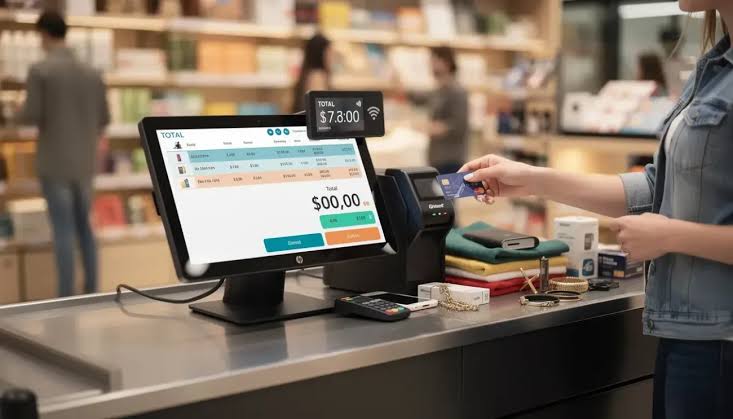
Hand-picked POS software can help a Florida storefront avoid paying for unused features, reduce manual work, connect payments with operations, and choose tools that fit its real workflow.
Run the Leak Detector
Before buying a POS system, look for four common sources of wasted money:
1.Fee leaks: Unclear markups, statement fees, gateway charges, or equipment terms.
2.Time leaks: Repeated data entry, slow checkout, or manual inventory updates.
3.Feature leaks: Paying for tools the business does not use.
4.Support leaks: Losing sales time while waiting for help with terminals or software.
A local POS broker can help review the current setup, but the business should request every price, feature, and contract condition in writing.
Local POS Broker’s payment processing solutions guide explains the payment, terminal, authorization, and settlement pieces that affect the checkout cost.

Fit the POS to the Store
A retail store, restaurant, pop-up vendor, and service company do not need the same system. Start with the daily workflow:
•What products, variants, or services must staff find quickly?
•How many checkout points are needed?
•Does inventory change after each sale?
•Will the business sell online, at events, or from a job site?
•Which reports does the owner actually review?
•Which staff actions need approval or limits?
Choose the smallest feature set that solves the real problems. Then check whether the system can grow when the business adds products, employees, or locations.
Connect the Back Office
A well-matched POS can connect:
•Product catalogs and inventory
•Payment terminals and digital wallets
•Employee access and time records
•Printed and digital receipts
•Customer or loyalty tools
•Sales, deposit, and accounting reports
•Online and in-store orders
Local POS Broker’s integrated small-business payment solutions guide explains how connected payment tools can reduce repeated entry and improve record accuracy.

Compare Hardware With the Workflow
Hardware should support the place where customers pay. A storefront may need a fast countertop terminal, barcode scanner, receipt printer, or second station. A restaurant may need handheld or tableside devices. A mobile team may need a wireless reader.
Ask whether the equipment supports:
•EMV chip cards
•Contactless payments and mobile wallets
•Digital receipts
•Inventory and product tools
•Network recovery steps
•Software and hardware updates
•Easy replacement and support
Mobile teams can also review Local POS Broker’s mobile credit card reader processing guide before adding portable payment acceptance.
Protect the Margin
A POS upgrade should make costs easier to understand, not harder. Compare:
•Processing and per-transaction fees
•Monthly, gateway, and software charges
•Hardware purchase or lease terms
•Chargeback and refund fees
•Contract length and cancellation rules
•Support, training, and installation costs
Calculate the expected monthly total using real sales volume, average ticket, card mix, refunds, and channels. Avoid choosing a provider from a low advertised rate alone.
Use the Storefront Fit Test
1.List the three biggest checkout or reporting problems.
2.Remove features that do not solve those problems.
3.Test the POS with real products, refunds, discounts, and receipts.
4.Confirm payment, inventory, accounting, and export connections.
5.Ask who supports the store during a busy sales period.
6.Review all hardware, software, processing, and cancellation terms.
7.Plan staff training before launch.
Final Takeaway
Hand-picked POS software can give Florida storefronts an advantage because it focuses spending on the tools staff and customers actually use. The right system can reduce fee confusion, manual work, checkout delays, and support gaps while giving the business a clearer path to grow.
Businesses comparing broader merchant-services options can also explore The Direct Processors’ payment services, including recurring billing, invoicing, electronic checking, and gateway integration. Review the available services and terms before choosing a provider.