
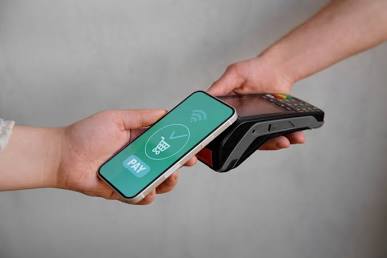
A local POS broker can help a Florida storefront connect payment hardware, POS software, security, reporting, and support around the way customers and staff actually work.
Read the Wave From Counter to Customer
Florida shoppers and visitors expect quick, convenient checkout. However, a payment terminal alone does not solve every store problem. A useful system should fit the full journey:
1.Welcome: Customers browse, ask questions, and choose products.
2.Checkout: Staff scan items, apply discounts, and accept payment.
3.Record: The POS updates sales, inventory, receipts, and reports.
4.Review: Owners check deposits, staff activity, and product movement.
5.Improve: The business adjusts tools and workflows as demand changes.
For a wider overview of payment methods, authorization, and settlement, read Local POS Broker’s payment processing solutions guide.

Where Corporate Setups Can Fall Short
A large processor may offer scale, but a business owner can still face confusing statements, rigid contracts, generic equipment, or slow support. The problem is not always the provider’s size. The real issue is whether the setup matches the store’s needs and explains its costs clearly.
A local POS consultation can help a business:
•Review statements and identify unclear fees
•Compare the complete processing cost
•Match terminals and software to the workflow
•Plan installation and staff training
•Create a support path for equipment problems
Ask for every rate, fee, contract term, and equipment obligation in writing.
Build the Storefront Stack
A practical digital-payment stack may include:
•Countertop and contactless terminals
•Mobile readers for events or overflow lines
•POS software for sales and inventory
•Receipt printers and digital receipts
•Employee access controls
•Reports for sales, deposits, and products
•Online or payment-link tools when the store sells beyond its counter
When these pieces connect, staff can reduce repeated entry and owners can view more of the business in one workflow. Local POS Broker’s integrated small-business payment solutions guide explains how payments can connect with inventory, accounting, and other business tools.

Protect the Wave
Digital payments need strong operating habits as well as modern equipment. Ask how the setup supports:
•EMV chip and contactless payments
•Tokenization and encryption
•PCI-related tasks
•Secure employee access
•Fraud alerts and chargeback responses
•Software and terminal updates
•Backup steps when the connection fails
Also, train staff to protect passwords, verify refunds, and report unusual activity. A broker can help configure equipment, but the business remains responsible for following its security procedures.
Add Flexible Payment Points
A store may take payment at a fixed counter, while a pop-up, sidewalk sale, event, or delivery team needs a portable reader. Mobile tools can help staff serve customers where the sale happens instead of creating another line.
For more on flexible readers and field payments, see Local POS Broker’s mobile credit card reader processing guide.
Use a Simple Selection Checklist
Before changing providers or equipment, ask:
1.Which payment methods do customers use most?
2.Does the POS connect with inventory, accounting, receipts, and reports?
3.What is the complete monthly cost at the store’s real volume?
4.Who installs the system and trains employees?
5.What happens when the terminal fails during a busy weekend?
6.How can the business add locations, staff, or sales channels later?
7.What are the contract, equipment, and cancellation terms?
Final Takeaway
Catching the checkout wave means building a payment experience that keeps pace with customers without making operations harder for staff. A local POS broker can help a Florida storefront compare costs, connect the right tools, plan a safer setup, and keep improving as the business grows.
Businesses comparing broader merchant-services options can also explore The Direct Processors’ payment services, including recurring billing, invoicing, electronic checking, and gateway integration. Review the available services and terms before choosing a provider.