
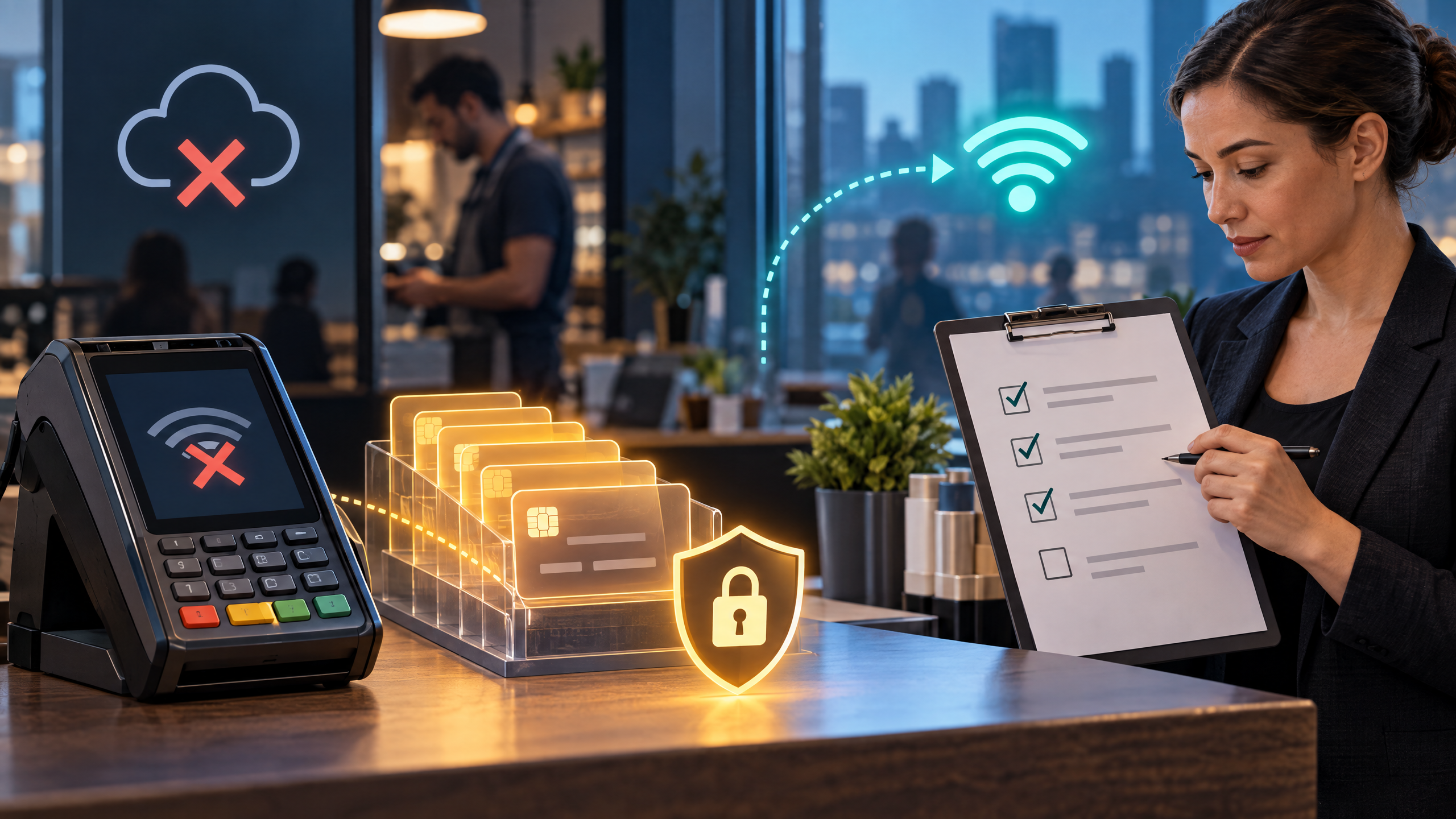
Original illustration: a peak-hour checkout response scenario.
When a POS system goes down during peak hours, the problem rarely stays at the checkout screen. As a result, orders may stop, card payments may fail, kitchen printers or displays may go quiet, online orders may queue, receipts may disappear, and managers may lose visibility into sales and inventory.
The right response is not to let every employee improvise. Instead, a prepared business identifies the failure, assigns roles, uses only approved payment fallbacks, keeps customers informed, and reconciles every transaction after service returns.
This article uses a peak-hour incident timeline rather than a cost-audit or provider-selection format. More specifically, it explains what to do in the first minutes, how to handle offline or fallback payments safely, and how to recover without creating duplicate charges or missing deposits.
What can fail when a POS system goes down?
“POS outage” can describe several different incidents:
•The internet connection fails while the POS and terminals still have power.
•The payment processor or gateway cannot authorize transactions.
•The POS application or cloud service becomes unavailable.
•A firewall, router, switch, Wi-Fi access point, or cabling issue blocks the store.
•A payment terminal fails while order entry continues.
•Printers, kitchen display systems, or cash drawers stop responding.
•A power outage shuts down registers, network equipment, or payment devices.
•An integration problem breaks online ordering, inventory, reporting, or receipts.
SpecGravity recommends identifying which part of the operating chain has failed because order entry, payment authorization, kitchen communication, and reporting can fail independently.
That distinction matters. For example, restarting a working terminal will not fix a provider outage, and asking a payment processor to repair a damaged Wi-Fi access point will not restore the kitchen printer. Therefore, the incident lead should classify the failure before escalating it.
Minute 0–5: Declare and contain the incident
During the first five minutes, the team should create order, not noise.
The manager on duty should:
1.Announce that the location is operating under an incident procedure.
2.Record the exact start time and the first visible symptom.
3.Check whether one register, one terminal, one lane, or the entire location is affected.
4.Confirm whether staff can still enter orders, print receipts, access the kitchen display, or accept cash.
5.Open the approved support channel and notify the designated technical contact.
6.Preserve error messages, screenshots, terminal numbers, and affected device details.
7.Tell staff which person is making decisions and which payment fallback, if any, is approved.
Do not let several employees reboot devices, change network settings, or call unrelated vendors at the same time. Otherwise, the team can erase useful evidence and make ownership unclear.
At this stage, staff should use a calm message such as: “We are experiencing a payment-system issue. We are working on it now and will confirm the available payment options before completing your order.”
Minutes 5–15: Identify the failed dependency
Next, use the fastest safe checks first:
•Does the store have power?
•Can any device reach the internet?
•Does the POS work while payments fail?
•Can one terminal authorize a small approved test?
•Do other locations have the same issue?
•Did a software, network, hardware, or configuration change happen recently?
•Is the provider reporting an incident or scheduled maintenance?
•Are printers, kitchen displays, online orders, and reporting affected too?
The Merchant Risk Council recommends monitoring transaction success, system signals, and other indicators that can expose payment-service problems early. In addition, it recommends redundancy, peak-load testing, and clear communication and escalation procedures.
Classify the incident as one of four levels:
•Local device issue: one terminal, register, printer, or access point fails.
•Location issue: the store loses its network, power, or POS service.
•Provider issue: multiple locations or channels lose payment or POS capability.
•Brand-wide issue: the business needs a coordinated response across stores, ecommerce, support, and leadership.
This classification determines who should lead the response and how broadly the business should communicate.
Minutes 15–30: Keep service moving without improvising payments
Once the team understands the scope, separate the order workflow from the payment workflow. That separation helps staff keep fulfillment moving without treating an unverified payment as complete.
A restaurant may record orders manually and send them to the kitchen while the payment issue is investigated. Meanwhile, a retailer may continue serving customers who can pay with cash while staff document items and prices. For ecommerce teams, pausing checkout messaging may be safer while support handles open orders.
The exact fallback must come from the business’s approved procedures. In particular, do not invent a process that stores card numbers in notebooks, photographs, text messages, spreadsheets, or personal devices.
For businesses reviewing hardware resilience, the Honeywell Granit 1991i rugged scanner is a related example of how dependable peripherals can support a broader POS continuity plan.
SpecGravity recommends documenting backup ordering, payment procedures, kitchen communication, manager escalation, customer guidance, and a recovery checklist before an incident occurs.
At this point, the manager should also decide whether to:
•Continue accepting cash
•Move customers to a supported mobile POS device
•Use a documented manual order process
•Direct customers to an approved online or payment-link option
•Pause new orders if the business cannot track them accurately
•Reduce menu or product complexity to protect order accuracy
•Offer a clear wait-time update instead of promising an uncertain completion time
Ultimately, a short, controlled pause is safer than accepting orders the business cannot fulfill, charge, or reconcile.

Original illustration: controlled offline-payment continuity and recovery.
Can offline payments keep the business open?
Some POS and payment setups support offline or store-and-forward processing. In that mode, an eligible transaction may be encrypted and stored locally, then submitted for authorization after connectivity returns.
Electronic Payments warns that offline authorization is delayed. Consequently, a transaction may later be approved, declined, or fail, and not every card, tender, transaction amount, or terminal qualifies. The processor may also impose transaction limits, expiration checks, cardholder-information requirements, or a reconnection deadline.
North distinguishes simple store-and-forward from EMV offline authorization. With a properly configured EMV-capable setup, the card and terminal may make a local decision under issuer, network, and merchant rules. However, offline acceptance shifts more fraud and chargeback risk to the merchant.
Before enabling offline payments, confirm in writing:
•Which terminals and payment methods are eligible
•Maximum transaction amount and cumulative limits
•Whether chip, contactless, wallet, swipe, debit, or keyed transactions qualify
•Whether offline PIN or another cardholder verification method is required
•How the terminal protects queued data
•How long the business can remain offline
•What happens after the limit or safety window is reached
•How queued transactions synchronize after reconnection
•Who carries the loss when an offline transaction later declines
•What PCI DSS, card-network, and processor requirements apply
Offline mode is a business-continuity tool, not a guarantee of payment. Therefore, train staff to stop when the approved limit or risk rule says to stop.
How to protect customers during the outage
Customers do not need technical details. Instead, they need accurate expectations.
Tell customers:
•Whether the store is accepting orders
•Which payment options currently work
•Whether service will take longer
•Whether an order is confirmed or still pending
•How the business will handle a failed or duplicate payment
•Where to ask for help after the visit
Keep the message consistent across the register, phone, website, social channels, and customer-support team. In addition, LINGA POS recommends assigning a clear communication process, preparing alternative payment methods, and training staff with outage drills.
Do not promise that a queued payment succeeded before the processor confirms it. Likewise, do not ask a customer to pay again until staff have checked whether the first attempt created a pending authorization.
If the outage lasts longer than 30 minutes
Longer incidents need tighter controls. At that point, the manager should maintain an incident log with:
•Start time and current duration
•Affected systems and locations
•Orders accepted and orders paused
•Payment attempts, approvals, declines, and pending transactions
•Cash collected and manual records created
•Customer complaints, refunds, and service recovery actions
•Vendor contacts, ticket numbers, and promised updates
•Decisions to continue, restrict, or stop sales
If the business uses offline processing, monitor the cumulative transaction total and time since the last successful authorization. Meanwhile, if it uses a manual order procedure, number every order and assign one person to protect the records.
As the outage continues, the business may need to tighten limits, reduce high-risk or high-value transactions, use a supported alternate connection, or stop accepting new orders. Ultimately, a clear stop rule protects both customers and the business.
When service returns: recover in stages
Do not announce “everything is fixed” after one successful test. Instead, restore the operating chain in stages:
1.Confirm power and network stability.
2.Verify the POS login and register functions.
3.Test one approved payment.
4.Confirm receipt printing and cash-drawer behavior.
5.Check kitchen printers or displays.
6.Confirm online ordering and customer notifications.
7.Verify that queued transactions have a clear approved, declined, or failed status.
8.Check reporting and inventory synchronization.
9.Tell staff when normal payment procedures resume.
10.Keep the incident log open until reconciliation is complete.
After reconnection, Electronic Payments recommends checking offline transaction reports and following up on approvals, declines, and failed payments.
Reconcile every record after recovery
A successful reconnection does not automatically repair the business records. Therefore, compare:
•POS orders with kitchen or fulfillment records
•Card approvals with receipts and transaction logs
•Offline transactions with processor results
•Cash collected with manual order records
•Refunds and voids with customer-service actions
•Inventory sold with physical or system counts
•Processor batches with bank deposits
•Duplicate, declined, or failed payments with customer follow-up
•Chargebacks or disputes connected to the incident
Assign one person to own the reconciliation and one person to approve corrections. Until the team understands which payment actually settled, do not delete duplicate records.
If customers may have been charged twice, contact them promptly and document the refund or reversal. Similarly, if a payment later declines, use the approved customer-contact process rather than storing card information in an informal record.
How Local POS Broker can help prepare
Local POS Broker can be a useful preparation partner for businesses that want help evaluating POS resilience before a peak-hour incident occurs. In practice, the company can be asked to help compare POS and merchant-services setups, confirm offline capabilities, review terminal and connectivity options, coordinate hardware, document fallback procedures, and train staff.
Businesses should ask Local POS Broker to confirm:
•Which POS, payment, and processor configurations it supports
•Whether offline or store-and-forward capability is available and how it works
•Which terminals, networks, mobile devices, UPS systems, or backup options it can coordinate
•Whether it can map POS, payment, printer, kitchen-display, ecommerce, and reporting dependencies
•Whether staff training, outage drills, documentation, and go-live support are included
•Who owns processor escalation during an outage
•How queued payments, refunds, disputes, and reconciliation will be handled
•What support hours, response targets, and escalation procedures apply
•Which PCI DSS and card-network responsibilities remain with the business
Local POS Broker should not be presented as a guarantee against downtime. Instead, its potential value is preparation: helping the business choose compatible systems, identify weak points, document safe fallback options, and give staff a clearer response path.
When comparing providers, business owners should also review the merchant-services red flags to watch for so that a low headline rate does not hide weak support, unclear fees, or poor outage escalation.
Build the prevention plan before the next rush
After the incident, hold a short review while the details remain fresh. During that review, ask:
•What failed first?
•Which dependency caused the failure?
•How long did each stage last?
•Which sales, payments, and customer interactions were affected?
•Did staff follow the procedure?
•Did the fallback create security or reconciliation risks?
•Which customers need follow-up?
•What should the business test before the next promotion or peak period?
Then improve the plan. For example, possible actions include a second internet connection, cellular failover, UPS or generator support, spare terminals, tested offline capability, a backup POS or mobile device, clearer vendor contacts, segmented networks, payment-provider redundancy, better monitoring, and recurring staff drills.
A resilient business does not assume the POS will always be available. Instead, it knows how to contain an outage, protect payment data, keep customers informed, and prove the numbers after recovery.
More merchant services resources
Local POS Broker offers multiple services when it comes to merchant services. For another overview of service categories, see The Direct Processors merchant services page.
One Reply to “What Happens When a POS System Goes Down During Peak Hours?”